This week, I officially submitted my first translation suggestions on translate.wordpress.org for the Spanish (Costa Rica) (es_CR) locale!
Getting Started with GlotPress
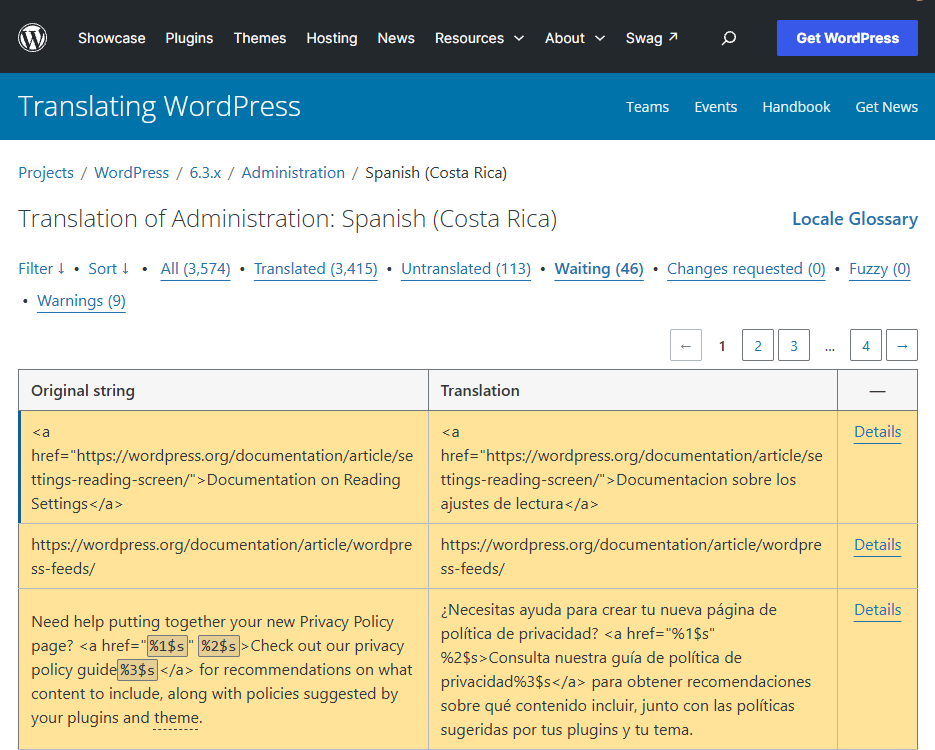
At first, navigating the translation platform felt a bit technical, as there are multiple WordPress versions, themes, and plugins available. Once I opened the GlotPress editor and filtered by untranslated strings, the workflow became much clearer.
What I Translated
For my first batch of contributions, I translated interface messages, system alerts (such as server file permissions and disk space notices), and links to official WordPress documentation.
Key Takeaways & Challenges
One of the most important lessons from my first session was paying close attention to technical syntax. Many strings include HTML tags (like <a href="...">) and dynamic PHP placeholders (such as %s, %1$s, and %2$s). Keeping those exact structures intact while ensuring the surrounding text sounds natural in Spanish required careful review.
After submitting my first strings to the Waiting queue, I joined the Make WordPress Slack workspace to introduce myself to the Polyglots community and learn more about the review process. Seeing my first contributions go live was an exciting milestone!


Leave a Reply